

Check your work with an official Turnitin plagiarism check. Learn how Turnitin works, read similarity reports, and avoid accidental plagiarism before you submit.
What a Turnitin Plagiarism Check Actually Does for Your Writing
When you submit a paper through Turnitin, the system runs your text against a massive database of academic journals, websites, and previously submitted student papers. A Turnitin plagiarism check does not simply hunt for copied content. It measures similarity. It highlights text that matches or closely resembles other sources so instructors can review the context and decide if proper attribution exists.
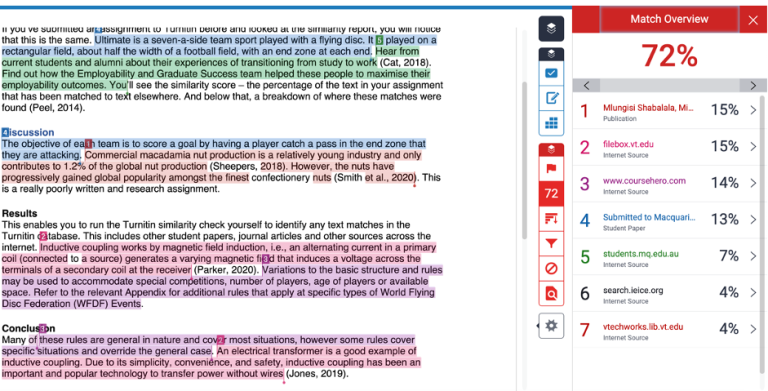
Turnitin scans billions of web pages, millions of academic publications, and an enormous repository of student submissions. The algorithm breaks your text into small phrases and assigns each one an ID. It then compares those phrases against its database. If it finds matches, it flags them in your Turnitin plagiarism report. This process takes anywhere from a few minutes to several hours, depending on server load and file size.
Many students panic when they see a percentage score, but that number alone never proves plagiarism. It only shows how much of your text overlaps with existing material. A paper with a 40% similarity score might contain nothing but properly cited quotes. Another paper with 5% similarity might contain one uncited paragraph copied directly from a blog. The report gives data. Your instructor provides the judgment. Understanding this distinction helps you use Turnitin as a learning tool rather than a threat.
How the Turnitin Plagiarism Checker Works Behind the Scenes
Turnitin uses natural language processing combined with strict matching techniques. The system can detect exact word matches, but it also flags paraphrased content where the sentence structure stays too close to the original source. According to Turnitin’s official documentation, the system minimizes false positives by filtering out common phrases and bibliographic material, though instructors can adjust these filters themselves.
The platform checks submissions against an extensive collection that includes archived internet pages, scholarly periodicals, and student paper repositories. When you upload a document, Turnitin preserves the formatting and generates a color-coded report. Each match links back to its original source so you can see exactly where the text appears online or in academic databases.
Some students worry that Turnitin stores their work forever. Institutions control this setting. Many schools add submissions to the student paper database to prevent future cheating. Others let you opt out. If you worry about intellectual property, check your school’s policy or ask your professor about repository options. Knowing these details helps you submit with confidence.
Turnitin Plagiarism Checker for Students: Access and Setup
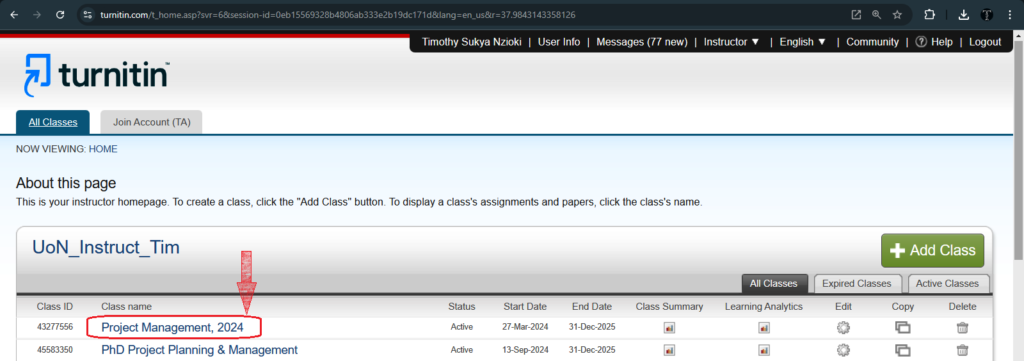
Most students do not buy Turnitin directly. Universities and colleges purchase institutional licenses, then provide access through learning management systems like Canvas, Moodle, or Blackboard. If your school uses Turnitin, you typically access it through your course portal rather than a separate website.

Check before you submit. Get Turnitin Score Report in 15 Minutes.
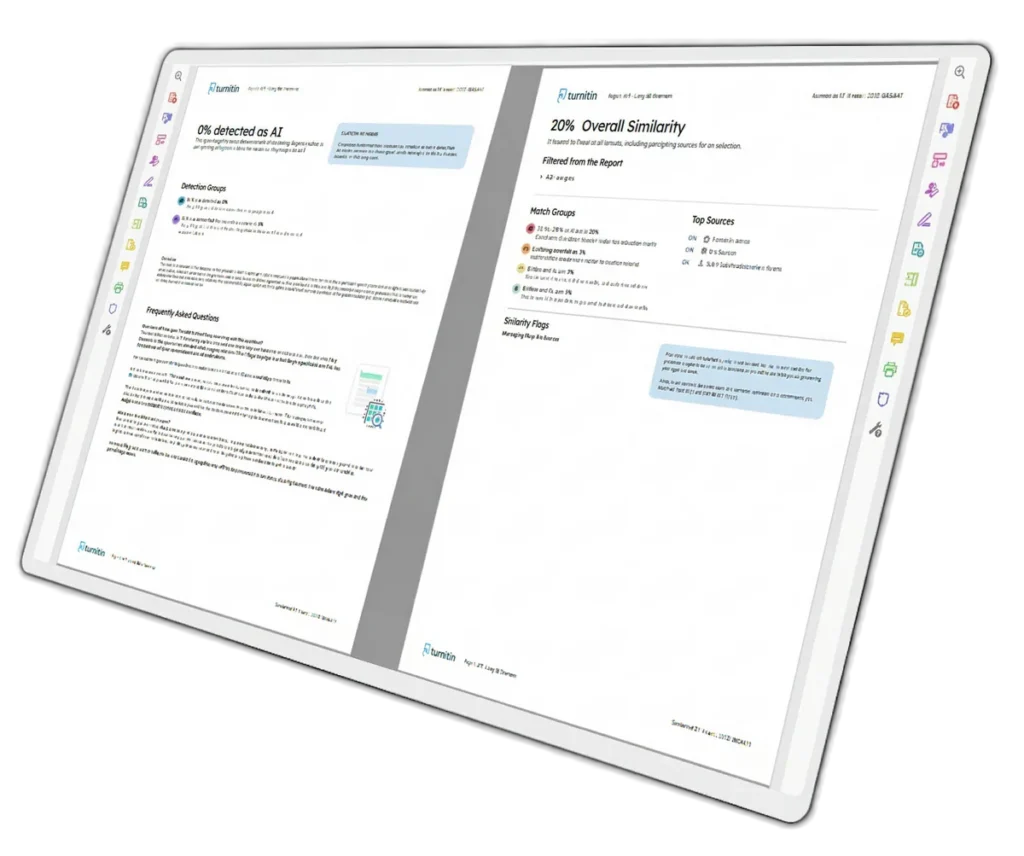
Don't risk the 'Red' score. Get the exact same Turnitin report your supervisor uses. You will receive a full PDF similarity report including AI detection.
Your professor must enable Turnitin for each assignment. Once enabled, you will see a Turnitin submission link inside your course module. Click it, upload your file, and the scan begins. Some courses allow you to see your similarity score immediately. Others hide it until after grading. Check your syllabus or ask your instructor about the specific rules for your class.
Turnitin Plagiarism Checker Login Process
To log in, you usually click the Turnitin assignment link inside your course management system. Some schools allow direct login through turnitin.com with credentials supplied by your IT department. You will need your student email and a password or single sign-on access through your university portal. If you cannot find the Turnitin plagiarism checker login page, contact your instructor or campus help desk. They can verify if your course has Turnitin enabled and send you the correct link.
Submitting Your First Paper
Once inside, uploading a paper is simple. Click the Submit button, choose your file, and add a title. Most systems accept Word documents, PDFs, and plain text files. After upload, Turnitin begins scanning immediately. You can return later to view the similarity score, though some professors hide this from students until after grading. Always check which file types your instructor accepts to avoid technical rejections.
Understanding Your Turnitin Plagiarism Report
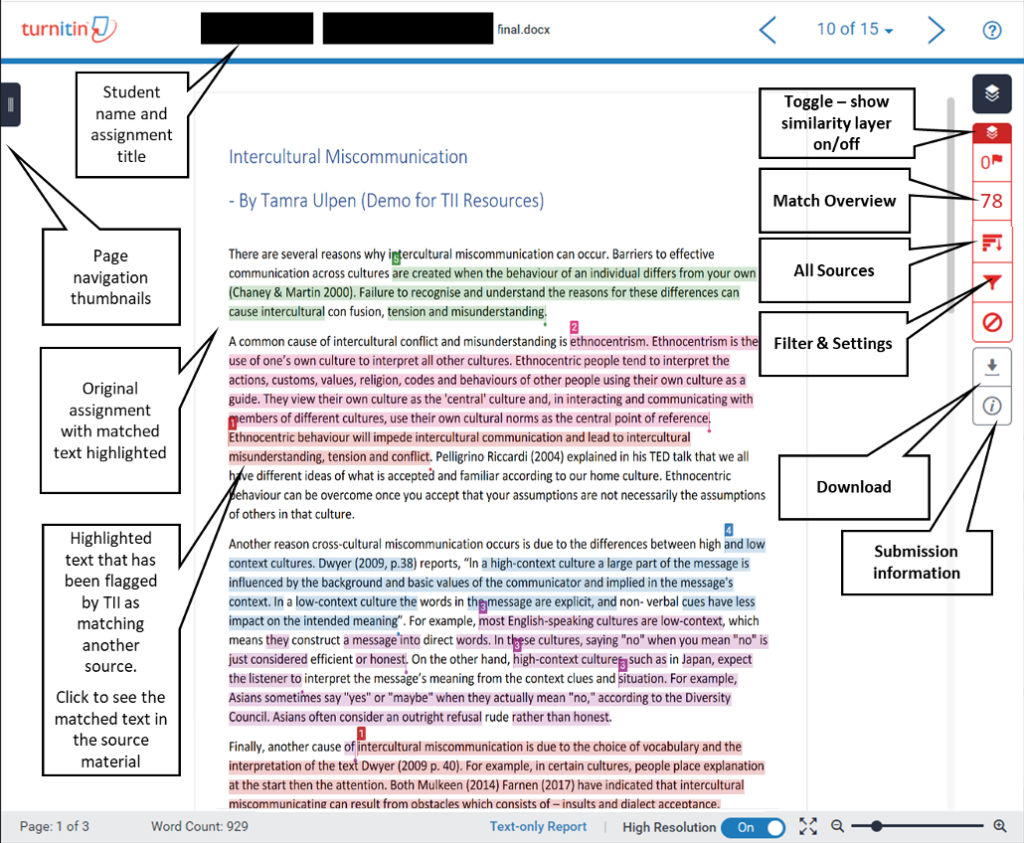
Your Turnitin plagiarism report serves as a roadmap for fixing citation issues before your final submission. The report displays your similarity score as a percentage, paired with a color that indicates the severity of matching text. Blue means no matches. Green means one word to 24% similarity. Yellow signals 25% to 49%. Orange hits 50% to 74%. Red means 75% to 100%.
These colors help instructors spot papers that need review, but they do not determine guilt. A green score does not guarantee a clean paper. A single long match to an uncited source could still trigger academic misconduct charges. Conversely, a yellow or orange score might simply reflect heavy use of direct quotes from assigned readings. The color gives you a starting point. You must inspect each highlighted section to see if you cited the source correctly.
Types of Matches You Will See
Turnitin categorizes matches into four groups. “Not Cited or Quoted” flags the most serious problems. This means you borrowed text or ideas without attribution. “Missing Quotation” means you used exact words from a source but forgot quotation marks. “Missing Citation” indicates you paraphrased but left out the source reference. “Cited and Quoted” usually poses no issue, though it still counts toward your similarity percentage.
You can click each match to see the original source and compare it with your text side by side. This feature helps you fix problems quickly. If the match comes from your own previous submission, you can usually exclude it through your instructor’s settings. Self-matches happen often when students reuse portions of old papers for new assignments.
Our Expert Solutions
Turnitin AI &
Plagiarism Reports
We help you with a Full PDF similarity report including AI detection at $8.99/report. Get the same Turnitin analysis your professor sees.
Human Rewriting or Humanization
We fix structure and flow to ensure your work is 100% original and human-sounding. You also get the same Turnitin analysis your professor sees.
Turnitin Plagiarism Checker Online and Free Access
Students often search for a Turnitin plagiarism checker free tool they can use without a university account. The reality is complicated. Turnitin itself does not offer a free version for individual students. The company sells licenses to institutions, not to end users. If you see a website claiming to offer a Turnitin plagiarism checker free of charge, be skeptical. It is likely a scam or an unauthorized reseller.
The Risk of Unauthorized Services
Some third-party websites promise to run your paper through Turnitin for a small fee. These services often lack data security guarantees. They may store your paper in their own database, causing future matches when you submit officially through your school. Worse, they might sell your work or personal information. Stick to your school’s official Turnitin plagiarism checker online portal. Your academic integrity and data privacy matter too much to risk on sketchy alternatives.
Turnitin Plagiarism Checker Price for Personal Use
Turnitin does sell individual licenses through some partners, but the Turnitin plagiarism checker price varies by region and vendor. Personal accounts typically cost more than most students want to pay, which is why university access remains the standard route. If you graduate and lose your institutional login, you can ask your alumni office about extended access or look into Turnitin alternatives designed for individual professionals.
How to Use Turnitin Plagiarism Checker Before Your Final Draft
Smart students treat Turnitin as a revision tool, not only as a final gatekeeper. If your professor allows multiple submissions, upload a draft a day or two before the deadline. Review the report, fix missing citations, and rephrase any flagged sentences. This approach turns a stressful last-minute check into a quick edit session.
Start by scanning for “Not Cited or Quoted” matches. These cause the most trouble. Add citations where you borrowed ideas. Replace direct quotes with paraphrases when possible, but cite the paraphrase too. If your paper contains legitimate quoted material that inflates your similarity score, ask your professor if they plan to exclude quotes and bibliographies from the final calculation. Many instructors do this automatically.
Never try to trick Turnitin by replacing letters with similar-looking characters or inserting hidden text. Turnitin flags these attempts with special alerts. Instructors spot them immediately, and the academic penalties usually exceed those for simple plagiarism. Instead, write in your own voice, synthesize research into original analysis, and cite every source. The goal is learning, not beating the system.
AI Writing Detection and the Modern Turnitin Check
Turnitin now includes AI detection capabilities as an add-on feature called Turnitin Originality. The system analyzes sentence patterns, uniformity, and syntax to flag text that likely came from AI writing tools like ChatGPT. It shows an overall percentage of the document that may be AI-generated, plus highlighted sections for instructor review.
The AI detector works only in English and is not perfect. Very low scores often indicate false positives, while very high scores warrant closer inspection. Turnitin advises instructors to use their own judgment rather than relying solely on the AI percentage. If you use AI to brainstorm or outline, write the final draft yourself so your voice and reasoning shine through.
Instructors receive the same report you see, so transparency helps. If you used an AI tool to generate ideas but wrote the content yourself, your writing will likely pass inspection. The problems arise when students copy AI output directly into their papers without editing or citation. Turnitin flags the uniform sentence structures and repetitive phrasing typical of machine-generated text.
Practical Tips for Keeping Your Paper Clean
Students who plan ahead rarely face plagiarism surprises. Start assignments early so you have time to run a Turnitin plagiarism check and revise. Keep a running bibliography as you research so you do not forget sources later. When you paraphrase, change both the words and the sentence structure, then add a citation. Direct quotes should stay short and purposeful, surrounded by your own analysis.
Read your paper out loud before submitting. Awkward phrasing often signals that you copied text without fully digesting it. Fix those sections first. If your school allows resubmissions, use them. First submissions often reveal accidental overlap with common textbook phrases or class materials. Second submissions typically drop significantly after you clean up citations and reword flagged sections. Professors notice when students improve between drafts. That improvement shows academic maturity and respect for the process.
Common Questions About Turnitin
Does a high similarity score mean I plagiarized?
No. A high score means much of your text matches existing sources. Your instructor must review each match to determine if you cited properly. A paper full of correctly quoted research can score 50% or higher without any plagiarism.
Can I check my paper on Turnitin before submitting?
Many schools offer draft submission folders where you can preview your similarity score. If your course does not provide this, ask your professor. Some instructors submit drafts on behalf of students. Avoid unauthorized third-party services.
What file types work with Turnitin?
Turnitin accepts Microsoft Word, PDF, plain text, and several other formats. Check your assignment instructions for specific requirements. Scanned images saved as PDFs often fail because Turnitin cannot read the text without optical character recognition.
How long does a Turnitin scan take?
Most scans finish within five to fifteen minutes. During peak times, such as end-of-semester deadlines, wait times can extend to several hours. Submit early to avoid delays.
Can Turnitin detect paraphrasing?
Yes, to a degree. Turnitin identifies when you keep the original sentence structure but swap a few words. Sophisticated paraphrasing that changes the structure and vocabulary completely may escape detection, but it still requires proper citation. Turnitin is a text-matching tool, not a mind reader.
Final Thoughts on Using Turnitin
A Turnitin plagiarism check protects both students and instructors. It catches accidental overlap before it becomes an academic integrity case. It teaches you to cite carefully, paraphrase honestly, and maintain your own voice in writing. Use the tool as a learning aid, not an enemy. Upload drafts early, read your Turnitin plagiarism report carefully, and fix issues before the final deadline. Your future self will thank you when you submit with confidence.
Turnitin plagiarism checker free,
turnitin plagiarism checker,
Turnitin plagiarism checker online,
Turnitin plagiarism checker for students,
Turnitin plagiarism checker login,
How to use Turnitin plagiarism checker,
Turnitin plagiarism checker free ,
Turnitin plagiarism report,
Turnitin plagiarism checker price,