

Get a clear answer on “Can I see my Turnitin report before submitting?” Learn how to use a Turnitin check for similarity and AI detection safely.
Can You See Your Turnitin Report Before Submitting? (What Students Need to Know)
The short answer is maybe. It really comes down to how your instructor set up the assignment in your learning management system like Canvas, Blackboard, or Moodle. Most students want to know their score before the final deadline to avoid any accidental plagiarism or high AI detection flags. If your professor enabled the option for students to view similarity reports, you can usually see it right after you upload a draft. However, many instructors keep this feature turned off until after the due date.
When you ask, “Can I see my Turnitin report before submitting?” you are likely looking for a way to verify your work is safe. If your school portal does not allow a preview, you might feel stuck. This is where a private Turnitin check comes in handy. Using a service that does not add your paper to the global repository allows you to see exactly what a professor will see without risking self-plagiarism later.
How a Turnitin Check Actually Works
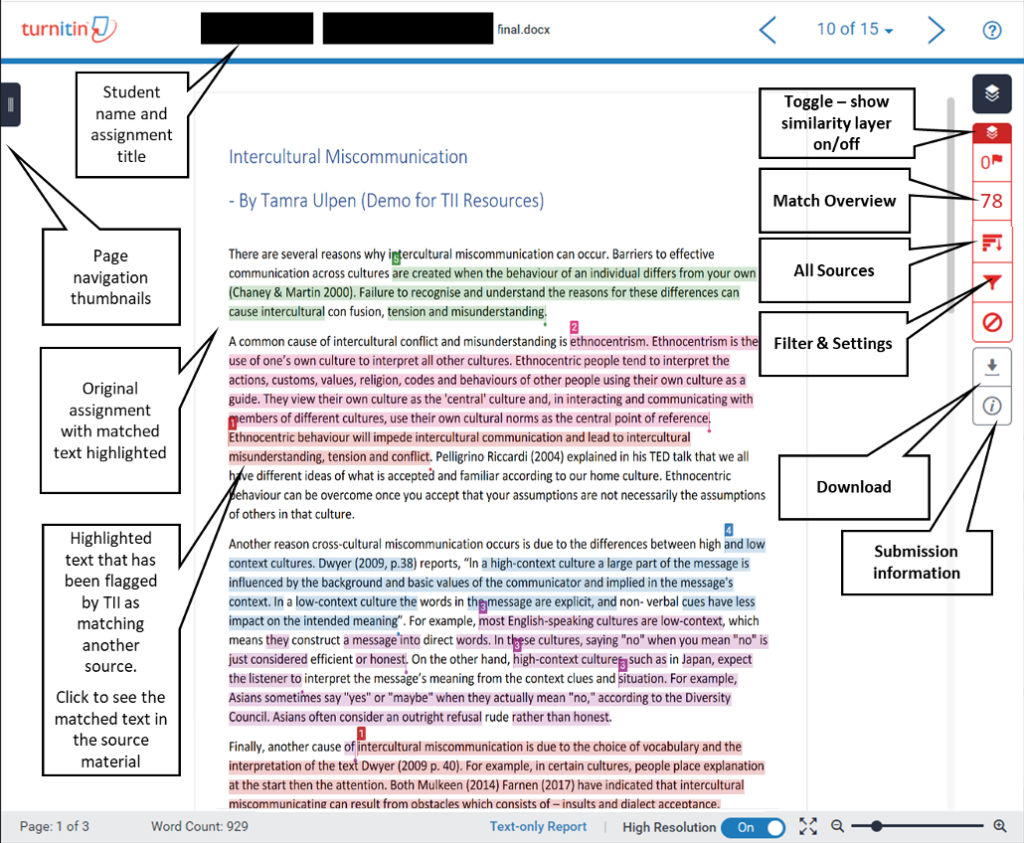
Turnitin does not look for plagiarism in the way most people think. It looks for similarity. When you upload a document, the software breaks your text down into small strings of words. It then compares these strings against a massive database of internet pages, journals, books, and other student papers. If it finds a match, it highlights that section.
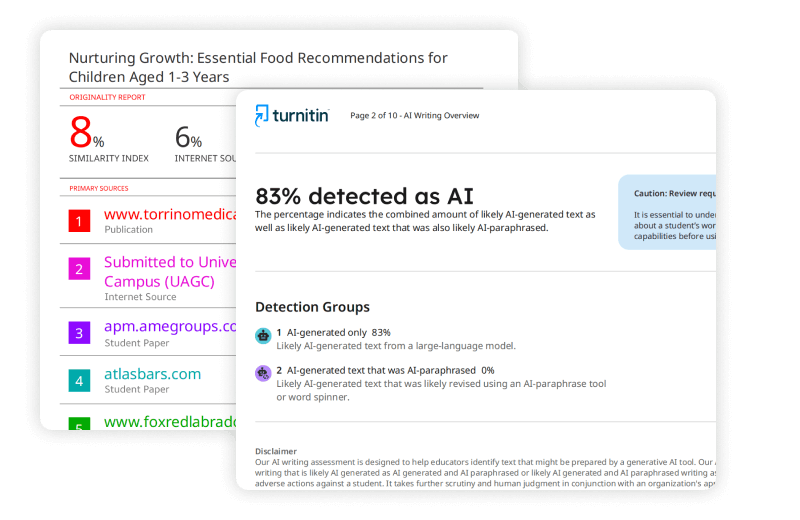
The newest addition to this process is the AI detection tool. This part of the software looks for patterns that suggest a machine wrote the text. Unlike the similarity check, which points to a specific source, AI detection looks at the predictability of your sentences. If your writing is too consistent or lacks the natural “messiness” of human speech, the system might flag it.
What the Software Scans
- Current and Archived Web Pages: Millions of sites, including ones that no longer exist.
- Periodicals and Journals: Academic articles that are usually behind paywalls.
- Student Repository: Every paper ever submitted to Turnitin by students worldwide (unless the “no repository” setting is used).
- AI Writing Models: Patterns from GPT-4 and other common language models.
Why Your Professor Might Hide the Report
You might wonder why schools do not just let everyone see their reports automatically. Some educators believe that if you see your similarity score, you will just “tweak” the highlighted parts until the number goes down without actually learning how to write or cite properly. They want the first submission to be your honest effort.
Another reason is the “on due date” setting. Some instructors set the system to generate reports only after the deadline has passed. This prevents students from sharing their reports with each other to see how to bypass the filters. If you are in a course where this is the case, you will not be able to see your Turnitin check results until it is too late to make changes. This can be stressful, especially if you used citations that you are not 100 percent sure about.
The Danger of Random Free Plagiarism Checkers
When you cannot see your report through your school, you might be tempted to use a free plagiarism checker you found on Google. This is often a mistake. Many free sites are data harvesters. When you upload your essay, they might save it in their own database. Some even sell these papers to essay mills.
If your paper is saved by one of these sites and then your university runs a Turnitin check, your work could come back as 100 percent plagiarized. Turnitin will see that the text exists elsewhere on the web or in a database, and you will have a hard time proving you were the original author. If you want to check your work early, you need to use a “no-repository” service. This means your paper is scanned but not saved, keeping it “invisible” to the system until you submit it for real.
Understanding the AI Detection Keywords and Scores
Lately, the conversation has shifted from just plagiarism to AI detection. Turnitin now includes a specific indicator for AI-generated content. If you see a cyan or purple highlight in your report, the system is flagging that text as likely coming from an AI tool.
This is a big deal because AI detectors are not always right. They often flag non-native English speakers or students who write in a very formal, structured style. Knowing how to interpret these AI detection keywords in your report is vital.
Why AI Flags Happen to Human Writers
- Repetitive Sentence Structures: If every sentence starts with “The” or “This,” the AI detector might think a bot wrote it.
- Lack of Transitions: Machines often jump from one fact to another without the “messy” transitions humans use.
- Overly Neutral Tone: If the writing is too perfect and lacks a personal voice, it triggers the sensors.
How to Read Your Similarity Report Colors
When you finally get to see your report, you will see a percentage badge. This is your similarity index. It is color-coded to give you a quick idea of how much of your paper matches other sources.
| Color | Percentage Range | What It Usually Means |
| Blue | 0% | No matching text found. |
| Green | 1% to 24% | Normal range for most academic papers. |
| Yellow | 25% to 49% | Might need a review of your citations. |
| Orange | 50% to 74% | Very high; likely too many direct quotes or poor paraphrasing. |
| Red | 75% to 100% | Major red flag; suggests the paper was copied. |
Keep in mind that a 0 percent score is not always good. It might look suspicious to a professor, as if you used some kind of “bypass” tool to hide matches. Most academic papers should have a small amount of similarity due to common phrases, references, and the bibliography.
Can I Submit a Draft Multiple Times?
If your instructor allows resubmissions, you can upload your paper, look at the report, fix the issues, and upload it again. Usually, the first three resubmissions will generate a new report immediately. After the third time, Turnitin makes you wait 24 hours for a new report. This is a built-in delay to stop students from “gaming” the system by changing one word at a time.
If you are trying to beat the clock on a deadline, that 24-hour wait can be a nightmare. This is another reason why doing a Turnitin check through an independent service like AnswersFountain is a better move. You get the data you need without the forced waiting periods or the risk of your instructor seeing how many “tries” it took you to get a clean score.
The Role of Human-Written Content in Passing Checks
The best way to get a low similarity score and zero AI detection is to write like a human. This sounds simple, but in the age of ChatGPT, it is becoming a lost art. Human writing is varied. It has rhythm. It uses personal anecdotes and specific examples that a database cannot predict.
At AnswersFountain, the focus is on human-led content. When you use human writers, you do not have to worry about the AI writing indicator. A real person knows how to weave sources into an argument without just copying and pasting blocks of text. They understand the nuance of a prompt and can provide insights that a machine simply cannot replicate. This is why human-written content remains the gold standard for academic integrity.
Steps to Take if Your Score is Too High
If you run a Turnitin check and the number is higher than you expected, do not panic. High similarity does not always mean you did something wrong. Here is how to handle it:
1. Check Your Quotes
Sometimes Turnitin flags perfectly legal quotes. If you have quotation marks around the text and a proper citation, your professor will likely ignore that match. You can even use the “exclude quotes” filter in the report to see what your score looks like without them.
2. Look at Your Bibliography
The list of references at the end of your paper will almost always be flagged. This is because other students have used the same sources. You can use the “exclude bibliography” filter to get a more accurate view of your actual writing.
3. Improve Your Paraphrasing
If you see long strings of highlighted text that are not quotes, you need to rewrite them. Do not just change a few words. Read the original source, look away, and then explain the idea in your own words. Use your own voice and sentence structure.
4. Fix “Patchwork” Writing
This happens when you take a sentence from one source, a sentence from another, and glue them together. Even if you cite them, the “flow” feels robotic. Use transitions to connect ideas and explain why those sources matter to your specific argument.
Dealing with the AI Writing Report
The AI Writing Report is a separate tab in the Turnitin interface. It gives a percentage of how much of the text is “likely” AI-generated. If your report shows a high AI score but you wrote the paper yourself, you need to be prepared to defend your work.
Keep your rough drafts and your browser history. If a professor questions you, showing your research process is the best defense. Using a Turnitin check for AI detection before you submit lets you see if your writing style is accidentally triggering the bot. If it is, you might want to add more personal voice or vary your sentence lengths to appear more “human” to the software.
Why AnswersFountain is the Right Choice for Students
AnswersFountain understands that academic pressure is real. You want to do well, and you want to be honest. The problem is that the tools schools use can sometimes be blunt instruments that flag innocent mistakes.
By providing a way to see your Turnitin report before submitting, AnswersFountain gives you back control. You can see the similarity matches and the AI detection results in a safe, private environment. This allows you to fix errors, improve your citations, and submit your final work with total confidence. You get the benefit of professional-grade tools without the risks associated with school-monitored portals.
Frequently Asked Questions
Will checking my paper on Turnitin early make it show up as 100% plagiarized later?
Only if you submit it to the “Standard Paper Repository.” If you use a “no-repository” check, it will not be saved, and it will not match against your final submission.
How long does it take for a Turnitin report to generate?
Usually, it takes about 10 to 15 minutes. However, during busy times like finals week, it can take much longer. If you are resubmitting for the fourth time, expect a 24-hour wait.
Can Turnitin detect ChatGPT-4?
Yes, Turnitin updated its algorithms to catch content from advanced models like GPT-4. It looks for specific linguistic markers that these models use.
What is a “good” similarity score?
There is no universal “good” score. Most universities look for anything under 15% to 25%, but it depends on the assignment. A math paper might have a higher score due to formulas, while a creative writing piece should be near 0%.
Does Turnitin check PDF files?
Yes, Turnitin can scan PDFs, Word docs, and several other file types. However, if the PDF is just an image of text (like a scan), the software might not be able to read it.
Can I see who else wrote a paper that matches mine?
No. For privacy reasons, Turnitin will only show you which university the matching paper came from. You cannot see the other student’s name or their full paper without permission from their instructor.
Final Thoughts on Pre-Submission Checks
Asking “Can I see my Turnitin report before submitting?” is a sign that you care about your academic standing. It is a proactive step. The academic landscape is changing fast, and with the rise of AI, the old rules of just “not copying” are not enough anymore. You have to be aware of how your writing “looks” to a machine.
Using a Turnitin check gives you the data you need to stay safe. Whether you are worried about a missed citation or an accidental AI flag, seeing the report early is the only way to be sure. At AnswersFountain, we advocate for human-centered writing and provide the tools to make sure your hard work is recognized fairly. Don’t leave your grades to chance; check your work, understand the report, and submit your best, most authentic writing.