

Wondering if Turnitin stores your paper forever? Learn how the Turnitin repository works, what happens to your data, and how to protect your academic work.
Does Turnitin Store Your Paper Forever? Here Is the Straight Answer
You submitted your essay through Canvas, Blackboard, or Moodle. The similarity report came back clean. Now a nagging question sits in the back of your mind. Does Turnitin keep that paper? Can it resurface years from now and flag your own work as plagiarism? The short answer is complicated. Turnitin does not automatically store every paper in a permanent, unchangeable vault. What happens to your submission depends on settings your professor controls before you ever click upload. Some papers stay for years. Others disappear within months. A few never enter the database at all. If you care about your intellectual property, your privacy, and your future grades, you need to understand how this system actually handles your files.
How Turnitin’s Repository System Works
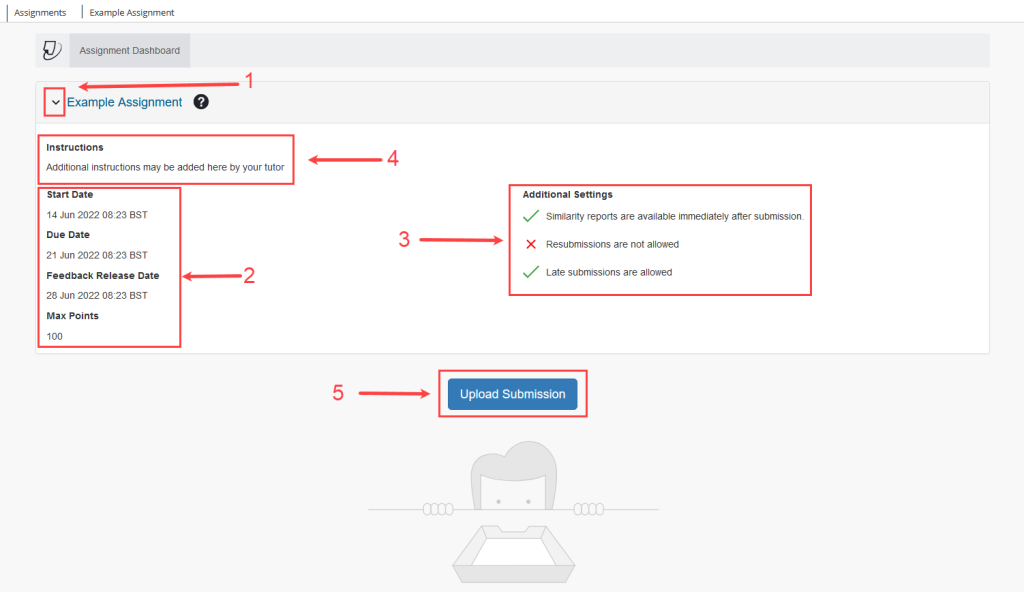
Turnitin runs on a comparison model. When you upload a document, the software scans it against billions of web pages, academic journals, books, and previously submitted student papers. The results appear in your Turnitin similarity report. That part is simple. The storage part is where confusion starts. Turnitin offers different repository options, and your instructor picks the one that applies to your assignment. You do not get to choose.
Standard Repository: The Permanent Option
Most university assignments use the Standard Repository setting. When your instructor selects this option, Turnitin adds your paper to its global database of student submissions. That paper becomes a source document for all future Turnitin checks across every institution that uses the service. A student in California could submit an original essay in 2026, and a student in London might get flagged for matching it in 2036. The paper stays indexed indefinitely unless someone formally requests its removal. This is not a secret. Turnitin states that archiving student papers serves the purpose of textual comparison and plagiarism prevention . Courts have upheld this practice as fair use under copyright law, noting that it provides substantial public benefit by protecting original work from exploitation .
No Repository: The Temporary Check
Some instructors, particularly those running draft workshops or private reviews, select the No Repository option. Your paper still gets checked against every available source. You still receive a full similarity score. But once the scan finishes, Turnitin discards your document. It never enters the student paper database. If you resubmit the same text later, it will not match against itself. This option works well for early drafts, personal plagiarism checks, or sensitive unpublished research. The catch is that you cannot activate it yourself. Only the assignment creator controls this setting .
Institutional Repositories: The Middle Ground
Some universities create private, school-only databases. Papers submitted to these institutional repositories stay visible only to users within that specific account. They never get shared with outside schools or global comparisons. Portland State University uses this model, storing student submissions in a PSU-only database that remains sealed from external institutions . This approach protects student privacy while still allowing professors within the same university to detect collusion or recycled assignments across different courses.
What “Forever” Really Means in the Turnitin Database
Students often hear that Turnitin keeps papers forever. That is mostly true for the Standard Repository, but the reality has some nuance. Turnitin organizes submissions by class, and classes have expiration dates.
The Class Lifecycle
Every Turnitin class carries a default end date. Since February 2023, new classes typically expire twelve months after creation . Older classes used a six-month window. Once a class ends, Turnitin contractually attempts to keep assignments accessible for up to 180 additional days . After that period, the class and its submissions may become inaccessible to instructors and students. However, inaccessible does not mean deleted from the comparison database. The paper can still live in the repository as a source for future similarity checks even if you and your professor can no longer view the original submission.

Check before you submit. Get Turnitin Score Report in 15 Minutes.
Don't risk the 'Red' score. Get the exact same Turnitin report your supervisor uses. You will receive a full PDF similarity report including AI detection.
When Papers Actually Get Deleted
Turnitin can permanently remove a paper from its database, but the process is neither quick nor student-controlled. Your university’s Turnitin account administrator must submit a written request to Turnitin support . Students cannot delete their own submissions directly. If you are worried about a particular paper, you need to contact your professor or your school’s IT department and ask them to initiate the process. Turnitin also allows administrators to move files to trash and empty it, which removes the original file from indexed sources . Without this formal step, your paper likely remains in the system as a comparison text.
Can You Remove Your Paper from Turnitin?
You retain full copyright ownership of anything you submit . Turnitin does not claim your ideas or your words. Their user agreement only licenses your work for the specific purpose of running plagiarism checks. That distinction matters legally, but it does not change the practical reality. Once your paper enters the Standard Repository, it stays there unless your school acts on your behalf.
If you graduated years ago and want an old undergraduate essay removed, your former university might still have an active Turnitin account. Contact their academic integrity office or library services. Explain which paper you want removed and why. They can forward the request to Turnitin. Be prepared to prove you wrote the paper and that you have a legitimate reason for removal. Turnitin processes these requests, but they prioritize administrator submissions over individual student emails.
Turnitin Check Services and Storage Privacy
Not every student has access to an official university Turnitin account. Maybe you are in high school. Maybe your online course uses a different plagiarism checker. Maybe you just want to preview your similarity score before submitting to your professor. This is where third-party Turnitin check services come in.
Companies like AnswersFountain offer official Turnitin checks without adding your paper to any database. These services use educator accounts configured with storage disabled. Your file gets processed, you receive the exact same similarity report and Turnitin AI detection score your professor would see, and then the system discards your document. Reports typically auto-delete after twenty-four hours. This setup gives you the benefits of a professional Turnitin check while keeping your intellectual property completely private.
Be careful when choosing a service. Some websites simulate Turnitin using generic plagiarism tools. Only official integrations return the real similarity index and the official AI detection percentage. If privacy matters to you, verify that the provider explicitly guarantees zero storage and immediate file deletion.
Turnitin AI Detection and Your Data
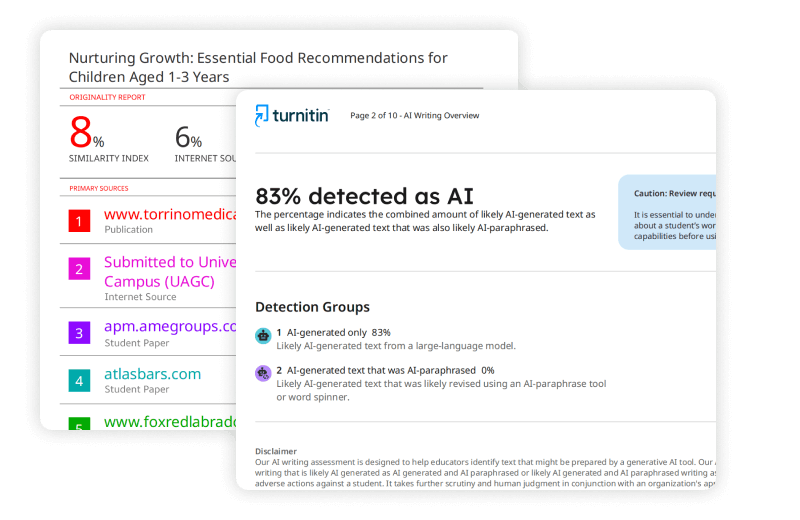
Turnitin added AI writing detection to its toolkit in recent years. This feature analyzes sentence structure, word choice, and predictability to estimate how much of your text was generated by tools like ChatGPT. It runs independently from the similarity checker. A paper can score 5% similarity and still trigger a high AI detection percentage.
Here is what students need to know about storage and AI detection. The AI scan happens at the same time as the similarity check. It does not create a separate copy of your paper or send your text to a different database. The same repository rules apply. If your instructor enabled Standard Repository, your paper gets stored. If they selected No Repository, it does not. The AI detection result itself appears only in the instructor-facing report. Students cannot see the AI score through their standard submission portal .
Some students worry that Turnitin uses their papers to train its AI models. According to university privacy policies, student submissions are protected and are not used to train any artificial intelligence or large language models . Turnitin’s AI detection relies on linguistic pattern recognition, not on ingesting your original ideas into a generative model.
The Self-Plagiarism Trap
The permanent storage model creates a genuine problem for students who want to reuse their own work. Maybe you wrote a brilliant literature review for a freshman composition class. Now you are in an upper-division seminar and the topic overlaps. You want to build on your previous research. If that old paper sits in the Standard Repository, Turnitin will flag it as a 100% match against your new submission. Professors call this self-plagiarism, and many institutions treat it as an academic integrity violation.
You have a few options. First, cite yourself properly. Treat your unpublished student paper like any other source. Second, ask your current professor to use the No Repository setting for the new assignment. Third, rewrite extensively. Change your structure, update your sources, and add new analysis so the text no longer matches verbatim. Running a private Turnitin check before your official submission helps you spot these issues early.
Understanding the similarity score
How to Protect Your Academic Work
You cannot control Turnitin’s architecture, but you can take practical steps to safeguard your papers and your privacy.
- Ask your instructor about repository settings. Before submitting, send a quick email asking whether the assignment uses Standard Repository or No Repository. Most professors will tell you. If they do not know, they can check the assignment settings.
- Strip metadata from your files. Remove your name, email, phone number, and university logo from the document before uploading. Turnitin scans text, but metadata can leak personal details. This is especially important if you use a third-party Turnitin check service.
- Keep your own copies. Never treat Turnitin as a cloud storage solution. Download your similarity reports, save your final drafts locally, and back them up. If your class expires or your account gets deactivated, you will still have your work.
- Use a pseudonym when possible. Some instructors allow anonymous submissions or student ID numbers instead of full names. This adds a layer of separation between your identity and your paper in the database.
- Run a private Turnitin check first. Services that guarantee zero storage let you preview your similarity score and AI detection risk without adding your paper to the permanent repository. This is the safest way to check your work if you plan to revise and resubmit later.
What About Privacy Laws?
Turnitin operates globally, which means it faces data protection regulations from multiple jurisdictions. In the European Union, the company relies on Standard Contractual Clauses to legally transfer data across borders . It undergoes annual SOC 2 Type II audits and uses SSL encryption, redundant servers, and firewalls to protect user information . The company states that it does not send marketing emails to student users and allows account administrators to request personal data deletion at any time .
That said, no system is completely immune to breaches. Turnitin acknowledges that the internet is not perfectly secure and that it cannot guarantee absolute protection against hackers . For most students, the academic integrity benefits outweigh the privacy risks. But if you are writing about politically sensitive topics, proprietary research, or personal narratives, the Standard Repository might feel too exposed. In those cases, push for the No Repository option or use an external Turnitin check with a privacy guarantee.
Final Thoughts
Turnitin does not store every paper forever in a single monolithic archive. It stores papers based on repository settings chosen by your instructor. Standard Repository submissions become permanent comparison sources. No Repository submissions vanish after grading. Institutional submissions stay locked within your school. You own your copyright, but you do not control the delete button. Only your university’s Turnitin administrator can formally remove a paper from the database.
If you are a student who values privacy, originality, and peace of mind, take charge of your submission strategy. Ask questions before you upload. Strip identifying information from your documents. Keep your own backups. And if you need to check your work without leaving a trace, use a verified third-party Turnitin check service that promises zero storage. Your papers represent your intellectual labor. Treat them accordingly.